
How YouTube Knows a Video Is Copyrighted — From Binary Foundations to Modern AI Fingerprinting
Hy this is me Ritik sharma . i am software developer
1. The Pre-Digital World — Manual Detection Only
Before computers, copyright enforcement was essentially pattern recognition by humans.
A music producer would hear a familiar tune.
A studio would notice a copied film scene.
The entire process relied on human memory and judgment, and scale was low because duplication was difficult.
Once digital files and the internet emerged, copying became effortless. This forced engineers to design automated pattern-recognition systems.
2. Understanding Files at a Technical Level — Binary, Metadata, and Format Rules
To understand modern copyright systems, you must understand what a file truly is internally.

2.1 Every file is just binary (0s and 1s)
Whether it's:
MP4,
MP3,
JPEG,
PDF,
EXE,
…it is all stored as a long binary sequence.
Example:
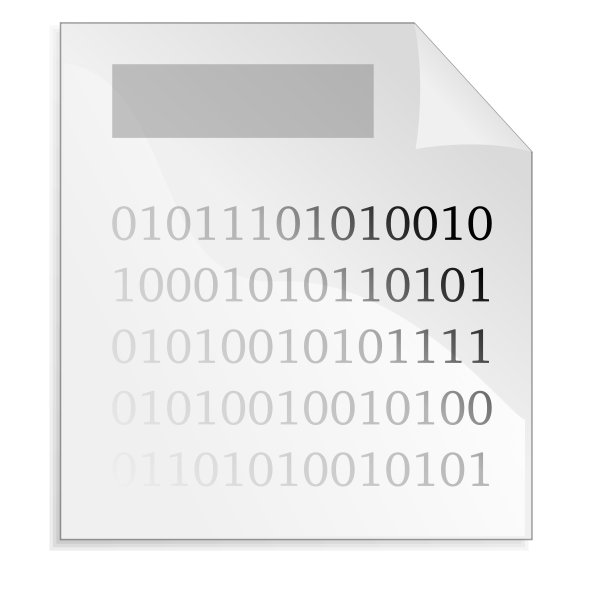
01001010 11001101 00010101 11100010 ...
The operating system does not inherently know what this data means.
It relies on format rules.
2.2 Why MP3, MP4, JPEG differ if all are binary?
Because each file type has a defined structure:
below is the oen of the example of the structure of the mp3 file .
Header (metadata) — describes:
File type
Encoding
Bitrate
Width/Height
Duration
Timestamps
Payload/Data — the actual content:
Raw audio frames
Video frames
Image pixel blocks
Anatomy of a File: Header + Data

A visual showing:
A small HEADER box at the front
A large DATA box containing binary
3. The First Attempt: Cryptographic Hashing
Software engineers first attempted to use file-level hashing to detect identical media.
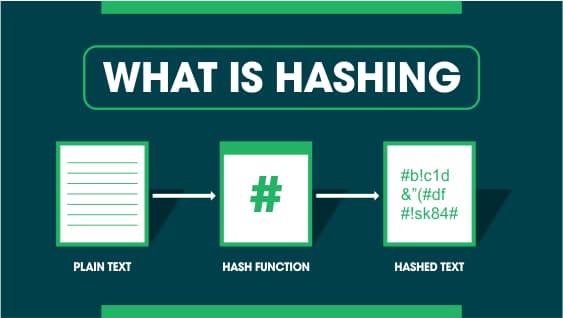
You already know hashing from cybersecurity:
https://en.wikipedia.org/wiki/List_of_hash_functions ; list of other hashing fucntion d
MD5
SHA-1
SHA-256
These are designed so that:
Same input → same hash
Tiny change → completely different hash
Why hashing failed for copyright
here is creating hash with two fucntion diffrent fucntion ;
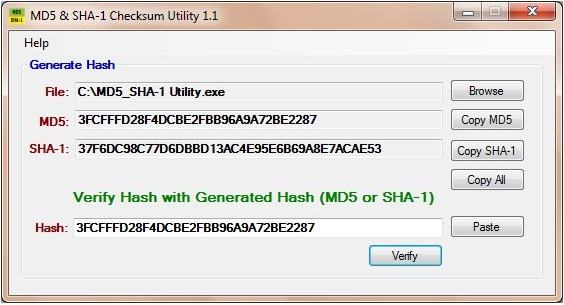
If someone:
Re-encodes video
Changes audio bitrate
Cuts 1 second
Adds a watermark
Converts MP4 → MKV
…even though the content is visually the same, the binary changes → the hash becomes entirely different.
Cryptographic hashes detect file integrity, not content similarity.
4. Perceptual Hashing — Shifting to Human-Like Similarity
ex : - 1
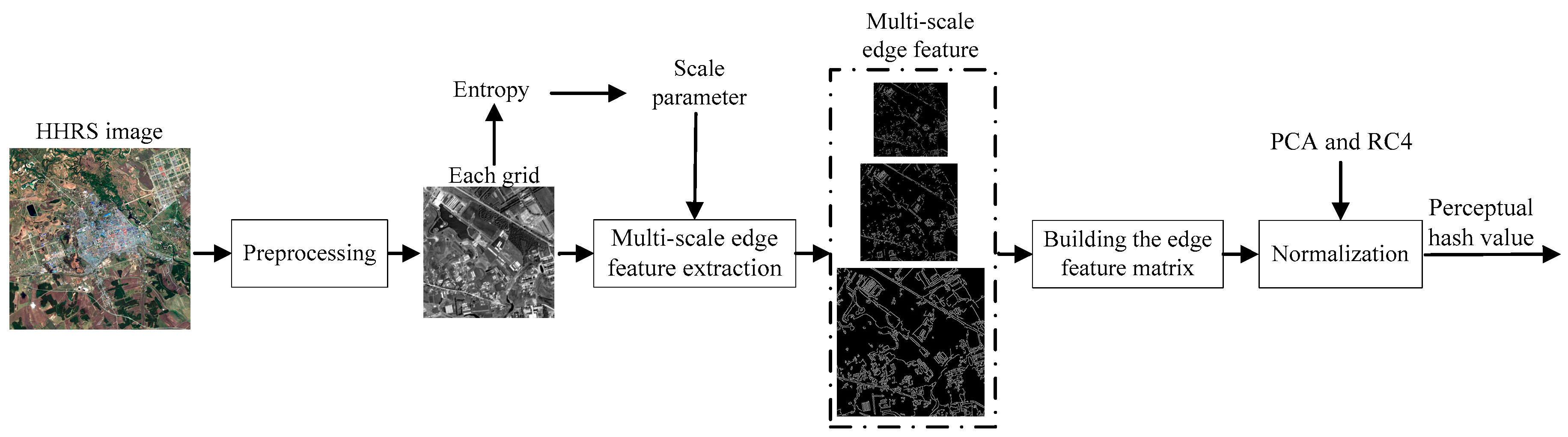
ex;-2

Engineers realized:
"The computer must compare content the same way humans do, not at the 0/1 level."
So they created perceptual hashes, which extract visual/audio features before hashing.
For images, perceptual hashing extracts:
Brightness structure
Color patterns
Edges
Texture blocks
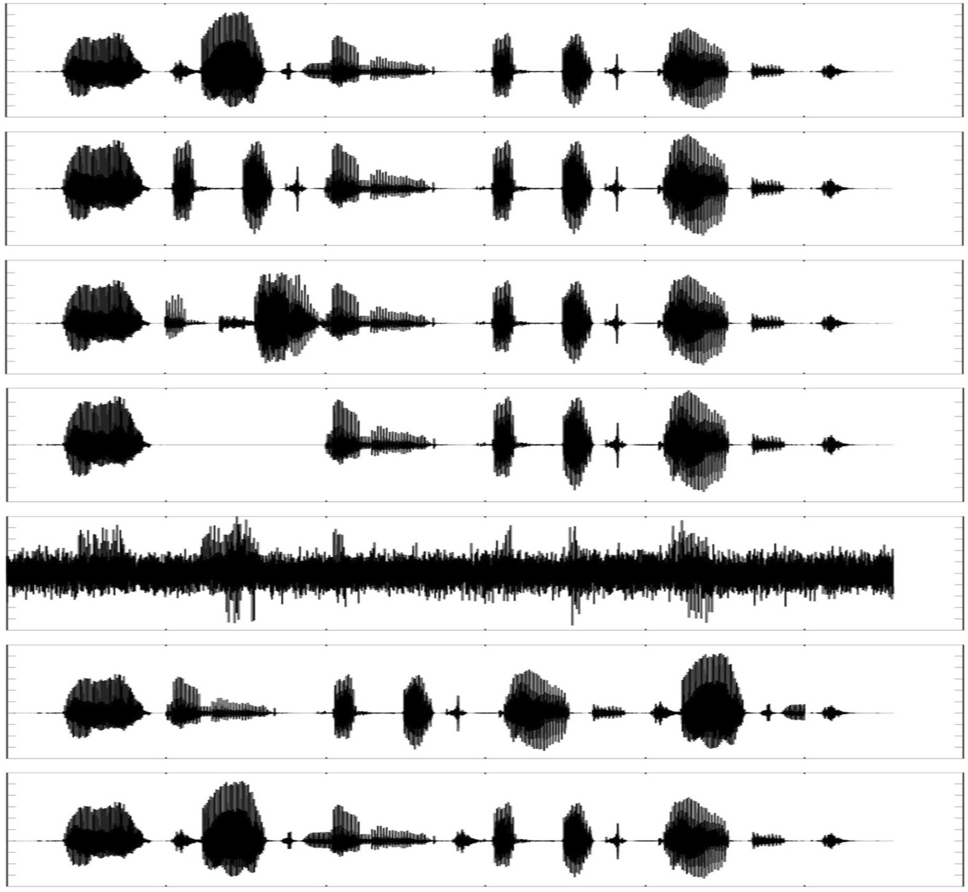
For audio, it extracts:
here we are compaire two audio file with there audion spectrum ; similar they divide and chunk and compaire if is simlar it consider copy audio .

Frequency energy patterns
Amplitude envelopes
This allowed detection after:
Resizing
Compression
Minor edits
But it still broke under:
Speed manipulation
Pitch shifts
Heavy filtering
Mashups
Re-recordings
Perceptual hashing moved in the right direction, but wasn’t robust enough for the real internet.
5. Audio Fingerprinting — The First Industrial-Strength Solution
Audio fingerprinting changed everything.
It is the technique behind Shazam, and later,
YouTube Content ID “
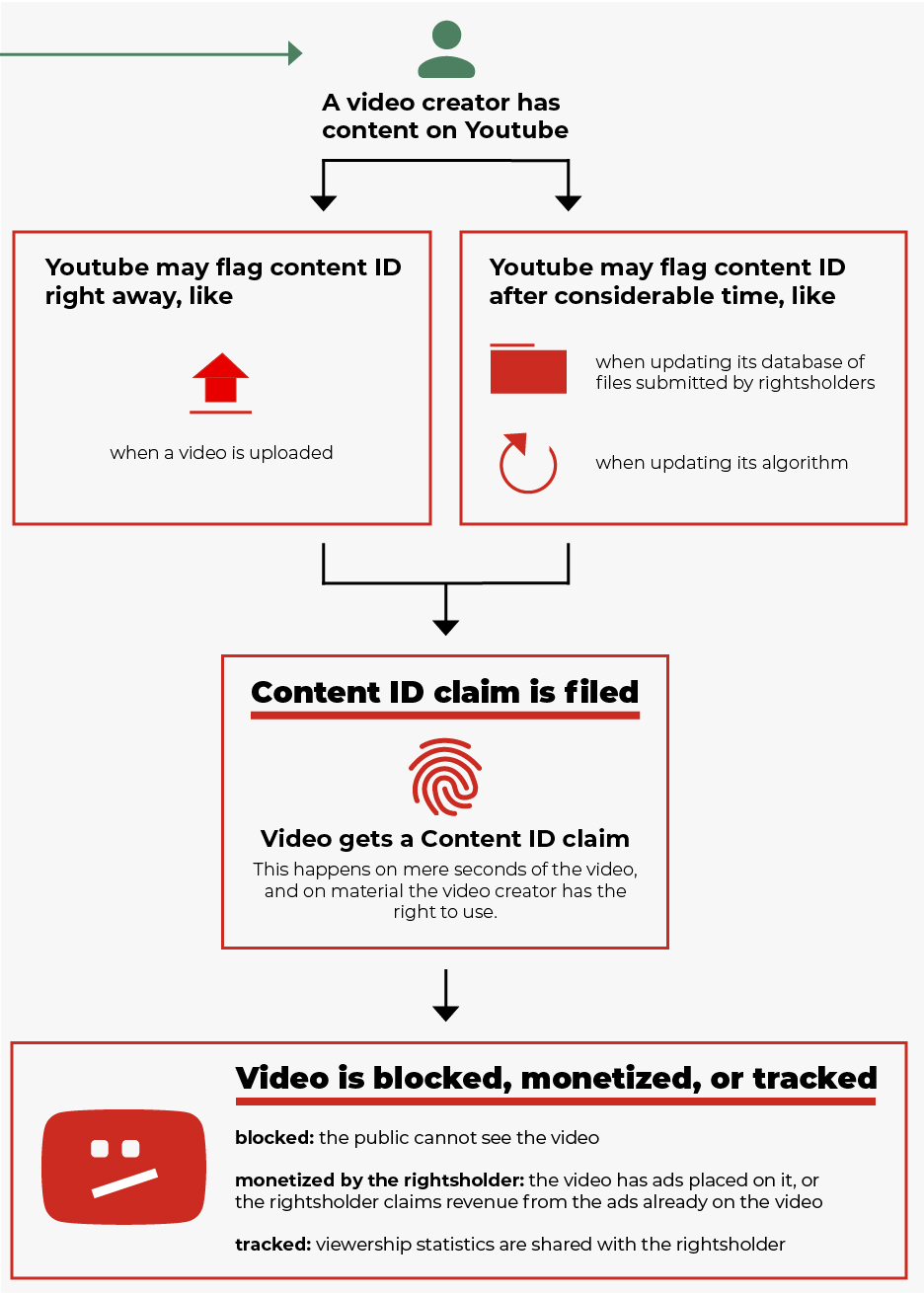
How audio fingerprinting works (technical overview)
Audio is converted into a spectrogram (time × frequency grid).
Strong frequency peaks (anchor points) are extracted.
Pairs of peaks are hashed along with time differences.
These become robust fingerprints.
Because the relationships between peaks remain stable across transformations, this method survives:
Re-encoding
Background noise
Speaker-to-microphone recording
Pitch changes
Cropping
Audio → Spectrogram → Peak Extraction → Fingerprints
6. Video Fingerprinting — Teaching Computers to See
Video detection had more challenges than audio because:
Videos have 25–60 frames per second
Edits can drastically change appearance
Early video fingerprinting used engineered features:
Edge detectors
Motion vectors
Histograms
Keyframe compression signatures
These helped detect:
Sports clips
Movie scenes
TV show segments
But deep transformations still caused mismatch.
7. The Deep Learning Revolution — Modern Visual Fingerprints
With deep learning, computer vision models learned to represent frames using embeddings.
How it works:
A frame is input to a CNN or Vision Transformer.
The model outputs a vector (e.g., 256–512 dimensions).
This vector describes the frame’s semantic content.
Example embedding output:
[0.21, -0.08, 1.22, 0.44, ...]
Two frames that look alike → embeddings close in vector space.
Two different frames → embeddings far apart.
These embeddings are stored inside an ANN (Approximate Nearest Neighbor) index for fast search.
IMAGE PLACEHOLDER 3 — "Frames → AI Encoder → Embedding Vector"
8. The Most Important Concept: Chunking
Instead of matching entire videos, the system splits videos into small, manageable units:
Typically 1–3 seconds long
Each chunk gets:
Audio fingerprint
Video embedding
Time offset metadata
This allows detection of:
Short scenes
Mixed clips
Memes
Compilations
Remix segments
Even if someone steals 5 seconds, the system detects it.
IMAGE PLACEHOLDER 4 — "Full Video → 2-Second Chunks → Fingerprints for Each"
9. The YouTube Content ID Detection Pipeline (Engineer-Friendly Flow)
1. Reference Fingerprint Generation
Original Movie/Music
     ↓
Transcoding to Standard Format
     ↓
Chunking
     ↓
Audio Fingerprints + Video Embeddings
     ↓
Fingerprint Database (Distributed Storage)
2. Upload Processing Pipeline
User Uploads Video
     ↓
Convert + Chunk
     ↓
Generate Fingerprints
     ↓
Match Against Database (ANN + Inverted Index)
3. Matching and Alignment
The system:
Retrieves candidate matches
Computes similarity score
Aligns time offsets
If consistent alignment emerges → confirmed match.
4. Policy Engine
Depending on rights owner preference:
Block
Monetize
Track statistics
Allow
IMAGE PLACEHOLDER 5 — "Reference Fingerprints ↔ Upload Fingerprints → Match"
10. What AI Does in the System
Reader Note (Important):
This entire article has intentionally presented a top-down view of the copyright mechanism and AI-based detection. You do not need to be an expert in AI, CNNs, ANN search, or deep learning to understand the core system. Think of AI here as a very advanced pattern-recognition engine that converts sound and images into mathematical identities, and then compares those identities at massive scale. If AI terms feel unfamiliar, you can safely continue reading using the conceptual understanding built so far.
AI is used in three major areas:
A. Audio Embedding Models
Convert spectrograms into robust vectors.
B. Visual Embedding Models
Represent each frame as a semantic vector.
C. Similarity/Confidence Scoring Models
Combine:
Audio scores
Video scores
Temporal alignment consistency
And produce a final confidence score.
AI enhances robustness but does not make legal decisions.
That is handled by policies and humans.
11. Why False Positives Still Occur
Modern systems rely on statistical similarity, not absolute truth.
False matches can appear when:
Two songs share structure
Stock videos look similar
Background music overlaps
Therefore:
Human reviewers exist
Appeal systems exist
Thresholds differ
12. Final Summary
The entire field evolved from:
Binary Hashing → Perceptual Hashing → Audio Fingerprints → Video Features → Deep Learning Embeddings → Multimodal AI
And the core workflow is still:
CHUNK → FINGERPRINT → SEARCH → ALIGN → SCORE → POLICY
You now understand not only the modern system, but also the decades of engineering thought that shaped it.
Closing Note
This article intentionally focused on conceptual system design, historical evolution, and applied engineering thinking—rather than deep mathematical or model-level AI implementation. The objective was to help you understand how the entire copyright detection pipeline works as a system, not just as isolated algorithms.
If you are interested in:
Low-level fingerprint generation logic
Hash design
Audio feature extraction
Visual embedding pipelines
Distributed ANN search design
You are encouraged to share your thoughts, questions, or critiques in the comments. This discussion can naturally evolve into deeper low-level coding and system design topics through collaborative learning.